



 July 19, 2010
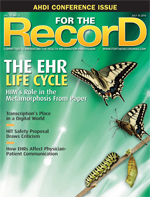
The EHR Life Cycle — HIM’s Role in the Metamorphosis From Paper
By Alice Shepherd
For The Record
Vol. 22 No. 13 P. 10
When healthcare organizations hatch plans to adopt electronic records, HIM staff become key agents for change.
Google the phrase “EHR failure rate” and you’ll find some disturbing numbers that may have healthcare organizations second-guessing their quest for federal stimulus dollars. Hospitals that have experienced less-than-successful transitions from paper to electronic records have reported problems ranging from downtime and disrupted workflow to huge backlogs in HIM and physicians boycotting cumbersome systems because they could not find patients and records in the system. In addition to those shortcomings, there have been reports of lost revenue and data-integrity lapses that could lead to medical errors.
While the transition to an EHR is a monumental task, it need not be a nightmare. In fact, timely planning, best-practice research among peers, and multidisciplinary leadership during the transition can even bring a hospital community closer together.
To gain insights on how this process works best, For The Record collected the thoughts of four HIM professionals with firsthand experience: Danielle Berthelot, RHIA, director of HIM and cancer registry at Woman’s Hospital in Baton Rouge, La.; Rita Bowen, RHIA, AHIMA board president and enterprise HIM director for Erlanger Health Systems in Chattanooga, Tenn.; Kristy Courville, director of HIM at Lafayette General Medical Center in Lafayette, La.; and Jada Songy, MBA, RHIA, director of HIM at Terrebonne General Medical Center (TGMC) in Houma, La.
Create a Steering Committee
The consensus is that an interdisciplinary steering team should be formed at least 24 months prior to the scheduled go-live. Depending on the hospital, the committee should include representation from executive management, the governing board, administration, physicians, nursing, department leadership, and HIM.
“Our leadership team was involved from the very beginning, and we set a clear vision and goals,” says Songy. “We provided monthly updates to our administrative team, our physicians, and our governing board through newsletters and other reports. From the very start, communication is the most important thing. We consistently reminded our staff that an EMR was going to be implemented. I strongly suggest selecting a physician champion who is actively involved and supports all the electronic processes.”
“Broad, multidisciplinary representation is important because so many people will need to use the system,” says Courville. “You can’t take a silo approach to decision making. Sometimes I wanted to push a decision that benefited me as director of medical records, but the steering committee kept the process fair to ensure benefit to the whole organization.”
“The best way to get buy-in is to allow all your stakeholders to provide input in the beginning,” says Berthelot. “Giving them ownership in the project has really helped us build relationships. No one felt coerced. That, in turn, has made us successful in other projects because people now view us as the experts and value our opinion.”
Redesign Forms
To ensure that forms can be scanned into the EHR efficiently and accurately, it’s critical to prepare them ahead of time. For 18 months prior to go-live of its EHR imaging system, Erlanger gathered all its forms and had them inventoried, redesigned, and bar coded.
“We changed the margins to make sure the scanner would pick up the entire document. We minimized or eliminated all color except for borders [that] were not going to be imaged. We made sure the font would be readable once imaged,” Bowen says. “Bar codes are essential to identify the type of form and the patient, so the EHR system can read the form, send it automatically to the right folder (where doctors can find it), and link it to the patient’s account. As a result of our thorough form redesign and bar coding, we were current within 24 hours of go-live. It’s very important to destroy all forms that are not bar coded because the system will reject them, which creates backlogs. In the ambulatory/clinic settings, we spent nine months documenting all current workflows and then redesigning and educating to the new workflow with the EMR. We again went live on the EMR with no significant backlog to workflow and decreased the patient volume for only two weeks.”
“Stick to strict form specifications, such as templates with standardized headers and footers,” says Courville. “Remember to bar code both forms and patient labels so that the system will know who the patient is and where the form needs to be filed in the chart.”
Not having bar-coded forms means performing manual indexing, which is time consuming and can be a source of errors, notes Berthelot.
Songy also recommends conducting a master patient index cleanup approximately 24 months prior to go-live to obtain the most accurate and clean demographic information on all patients.
Where to Start
As a level 1 trauma center, Erlanger knew its emergency department (ED), the source of 40% of its admissions, had to go electronic first. “Patients who are not admitted to our hospital from the ED are referred back to their own physicians, so electronic data is essential for continuation of care,” notes Bowen. “However, every facility is different and should assess its needs to determine on which area they will receive the most value.”
Woman’s Hospital chose to roll out its EHR in certain outpatient areas first, concentrating on nonphysician departments such as physical and occupational therapy. “That allowed us to work out the kinks before they would affect physician adoption,” says Berthelot. “The next area we chose was maternal-fetal medicine. These physicians are employees of the hospital and a very vocal group in general, so we knew we would get excellent feedback from them. This controlled rollout gave us the opportunity to hone in on and alleviate problems that might affect physicians before rolling it out to the entire medical staff. By the time we rolled out the EHR in the remainder of the outpatient area, and finally in inpatient and day surgery, we had gotten actionable feedback and had learned how to minimize workflow disruptions.”
Train in a Test Environment
TGMC had its test system set up in HIM six months prior to go-live, and all HIM staff had more than 40 hours of training. “First we trained team leaders, who in turn trained the individuals in their sections,” says Songy. “Once they had reached a certain level of competence, they had to log an additional 40 hours on the test system. After go-live, we audited productivity and work quality and trained employees until they had met our standards. Because physicians are impacted the most, it’s particularly important to educate them from the very beginning, so they know how soon after go-live they will be required to sign electronically and what provisions are in place to help them complete their records timely.”
Lafayette General held training sessions at various times throughout the day and night, as well as “skills fairs” to encourage staff and physicians to play with the system. In addition, highly trained superusers were assigned to go anywhere, anytime to train physicians and all staff members.
“Going live on an EHR is a huge project management effort, and part of managing it is the education that goes with it,” says Bowen. “We provided ample time for training to make sure clinicians, physicians, nurses, and staff felt comfortable and were moving through the screens appropriately. After go-live, we cut back on the number of patients physicians were seeing in their practice, so they could get used to the new workflow.”
Say No to Back Scanning
In a physician practice or clinic setting, back scanning older records (going back in time before go-live) makes sense—many patients return time after time and physicians need the full record. In a hospital, it’s a different matter because a patient may not return for several years, if at all. “About 80% of the people I talk to don’t back scan in an inpatient setting,” says Bowen. “At Erlanger, we set the same go-live date for both the EHR and the hybrid EHR/paper process. From that date forward, we would image all the paper records generated each day so that all data would be electronic. Back scanning may be feasible if a hospital has vast staff resources or can hire a large corps of temps, but we knew we had to go live with our existing staff and stay current without additional help. Our physicians saw no benefit in [the] back scanning of inpatient medical records.”
Berthelot’s team had researched processes at other facilities and found that back scanning was hindering the staff’s ability to keep up with current documents, causing serious backlogs. “We wanted to keep up with the cycle of scanning records on the day of discharge or the day after,” she says. “Some years after go-live, we back scanned one month, to January 1, because our go-live date was February 1 and we wanted electronic records for the full year.”
At TGMC, all areas of the hospital went electronic simultaneously on the go-live date this past January. “It was a big change, and back scanning would have made us less efficient,” says Songy. “We also developed ‘cold feeds’ to import data into the EHR from electronic systems previously operational in ancillary service departments such as radiology, nursing, and lab. Physicians’ progress notes and orders are still handwritten and are scanned in after discharge.”
Each hospital’s needs are different, and the decision to back scan should be based on a careful weighing of the pros and cons of having the data in electronic form. “It doesn’t make sense to expend the time and energy to convert data to electronic form if you don’t access it very often,” says Berthelot. “For example, most of our patients are healthy women who come in to deliver an infant. We don’t have an emergency room, and we see limited acute-care patients. On occasion, we do retrieve older records but not to the extent that an emergency room may need to do. Some hospitals scan the older records of their ‘frequent flyers.’ Find a model that works for you. There’s no cookie-cutter answer.”
Scan Current Paper Records
At Lafayette General, although orders are handwritten, they are still transcribed into the EHR by nursing and unit secretaries. Progress notes and a few other documents are also handwritten and scanned in. “Every night, HIM staff members go out onto the floors, collect any hard-copy paperwork, and scan it into the EHR,” says Courville. “This makes our task easier on the day of discharge because just that one day remains to be imaged to create a complete electronic record. The nightly scanning is performed by a five-member team during one 10-hour shift. We originally intended not to return the paper records to the floors once they were imaged, but we had to give in to the physicians who really wanted them back. Over the years, we’ve slowly taken more and more paper away from them.”
“In a true electronic record, no paper would remain and HIM’s workflow would not be affected by the go-live, as all records are being generated at the point of care,” says Bowen. “However, most facilities have a hybrid record—part paper, part electronic. That means HIM has to validate the process of how they merge the information appropriately to create a full legal medical record.”
Older records that remain on paper or microfilm should be easily accessible, not stored off site where it takes days to retrieve them when a patient returns to the hospital.
Don’t Skimp on Hardware
Songy recommends increasing the number of PCs and dictation equipment available on all units. “It’s important to have computers next to dictation phones because physicians want to view records and dictate at the same time,” she says.
“Make sure you have your EHR backbone in place, not just in IT but housewide,” says Berthelot. “Users who unsuccessfully try to access data on an old computer usually blame the system rather than that particular piece of hardware, which may lead them to reject the EHR. We update our computers on a regular schedule.”
Audit to Ensure Data Integrity
Courville stresses the importance of chart audits to make sure data are being captured as expected. “The chart review should by done by a multidisciplinary team to make sure the data is there every step of the way,” she says. “Always validate, test your data, and keep data integrity on the forefront.”
Don’t Expect Immediate Results
“Managing remaining paper processes while learning to maneuver through a new system makes you inefficient to some extent,” says Berthelot. “It takes from one to three months for people to become comfortable and proficient. We let HIM staff members who were apprehensive continue to perform their pre–go-live duties to give them time to adjust while individuals who were more readily adaptable to the electronic version moved to the new processes. For nurses, we had both HIM staff and nurse educators available in all the units to answer questions at any time of day or night. The nurse educators had been extensively trained on the system.”
She also cautions not to expect physicians who consult with the hospital only once or twice per year to remember how to log in and maneuver through the screens.
TGMC has set up workstations in the HIM department where a team of staff members is available to assist physicians at any time. The hospital also brought in three temporary full-time employees before go-live and retained them for one month after go-live to help keep pace with paper processes.
During the transition, Lafayette General noticed a temporary increase in its discharge not final billed, largely due to the learning curve for physicians, coders, and staff using the scanners.
HIM at the Helm
While IT expertise is indispensable in building and supporting an EHR, HIM should be prepared to lead and manage the initiative. At Woman’s Hospital, the information systems department fulfilled a support role while HIM worked directly with the vendor, which helped minimize misinterpretations. “HIM led the effort, but the support from information systems helped us to achieve our goals,” says Berthelot.
At TGMC, Songy served as project manager for the EHR conversion. “We benefited from a strong relationship with our IT department, and it played a significant role in helping us achieve our vision to have quality patient care through the generation of accurate, complete, timely, and easy-to-access health information.”
“The conversion itself can be performed by IT,” says Courville, “but HIM has to take a leadership role in constantly validating the data, testing the system, and making sure that the system build and processes are working as intended.”
— Alice Shepherd is a southern California-based business-to-business journalist specializing in healthcare topics.

1721 Valley Forge Road #486
Valley Forge, PA 19481